Trees
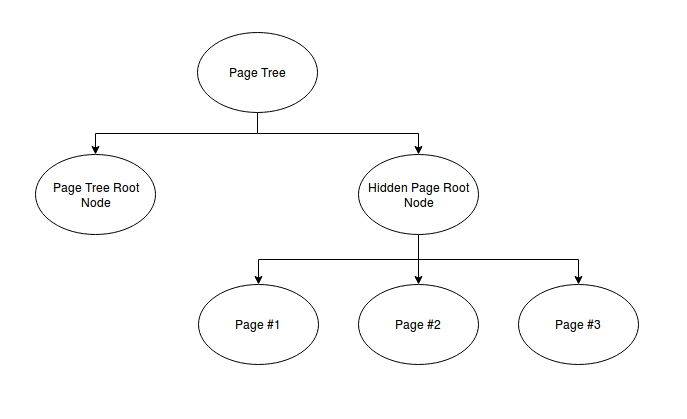
We split the page tree from the PageVersion tree because we might want to copy pages with children and separate our logic from the page logic.
PageVersionTree
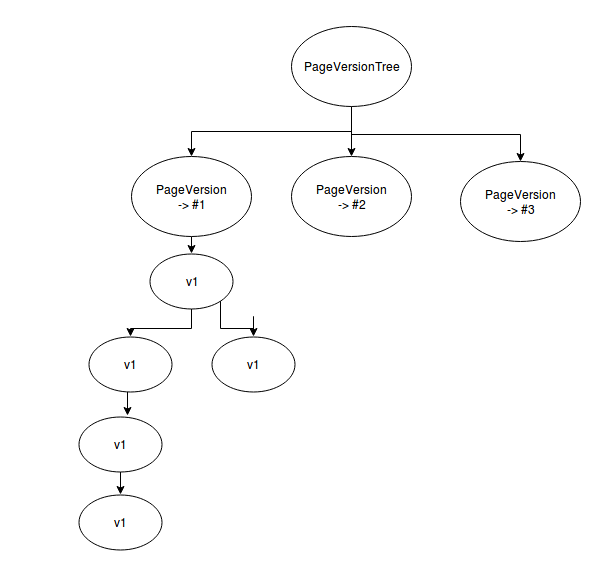
On the first layer there are all pages referenced. The version tree is aligned under the PageVersionNode.
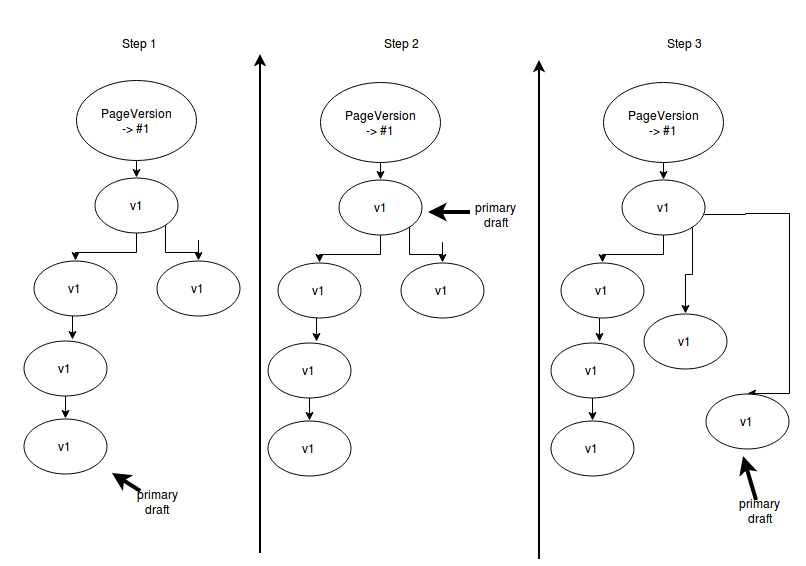
One node of the version subtree is always marked as primary. This node is synchronized with the CMS draft page.
If you want to roll back to an older version in the subtree. The primary pointer moves. If you edit the content
of that node there has to be a branch.
Rollback
The following diagram show how the primary draft can be rolled back and how a new change to that node is implemented.